
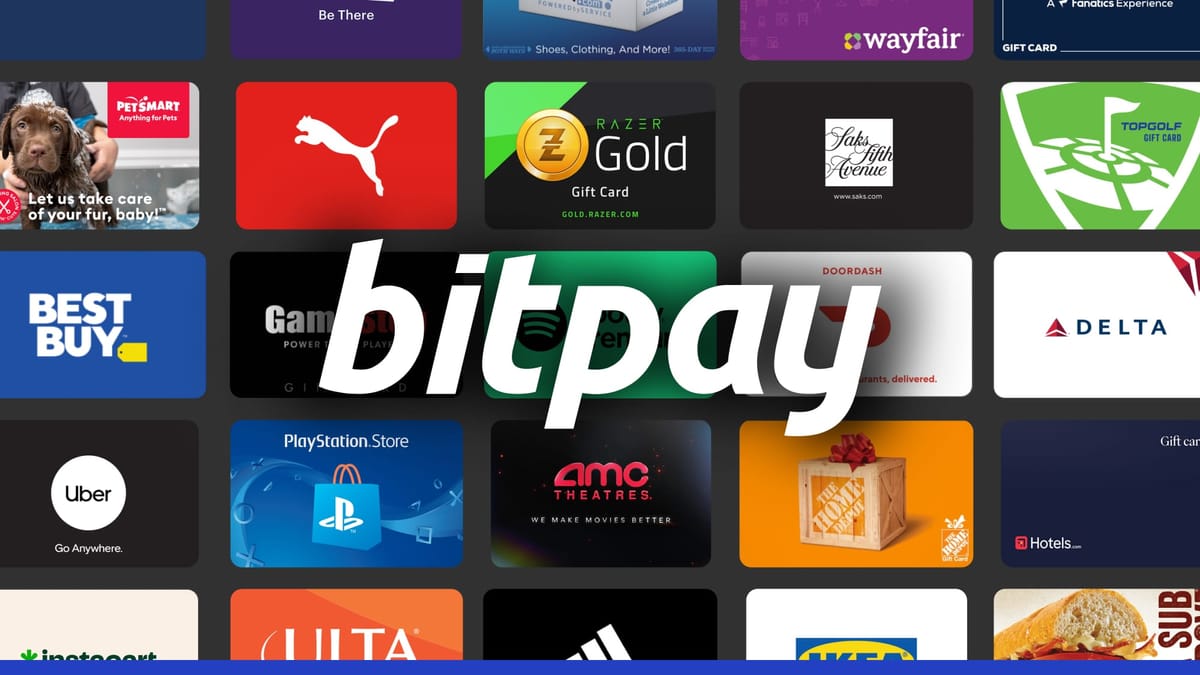
– BitPay allows you to purchase over 250 different gift cards from leading brands using various cryptocurrencies through BitPay Wallet or Chrome extension.
– The procedure is simple. You can easily manage your gift cards within the app or extension while selecting a gift card, specifying the amount, and confirming the transaction.
– BitPay supports over 100 cryptocurrencies and wallets, making it versatile to suit a variety of payment preferences.
Use cryptocurrency to buy gift cards from hundreds of popular retailers and brands from any wallet. BitPay allows you to shop widely and conveniently with hundreds of cryptocurrencies to choose from.
How to Buy 250+ Gift Cards with Cryptocurrency through BitPay
BitPay makes it easy for the cryptocurrency community to purchase gift cards by offering two seamless ways to purchase and store gift cards: within the BitPay wallet and through the BitPay extension.
From your BitPay wallet
- Download the BitPay app.
- Tap the Shop with cryptocurrency tab in the app.
- Select the gift card you want.
- Enter the amount you want to charge to the card. Gift card minimum/maximum amounts vary by card.
- Select the wallet and cryptocurrency you want to use to purchase gift cards.
- Check out the deal.
- Once your transaction is confirmed, you will receive a gift card. You can add it to Apple Pay/Google Pay, share it via email, or print it from the BitPay app. Manage and track your gift cards in the BitPay app or Chrome extension.
memo: The BitPay Wallet app is self storage wallet – This means you can Import funds held in another self-custodial wallet. To pay for a gift card, log in to the BitPay app.
The best self-managed wallet for buying, storing, exchanging and spending cryptocurrency
Get the BitPay Wallet App
From the BitPay Chrome extension
- Install the Chrome extension.
- Enter your email address in your settings so we know where to send your gift card.
- Click on Shopping where you will find the Cryptocurrency tab.
- Select the gift card you want.
- Click Buy Credit, then enter the amount you want to put on your card. Gift card minimum/maximum amounts vary by card.
- Your BitPay bill will appear. Complete the transaction using your preferred wallet and cryptocurrency.
- Once your transaction is confirmed, you will receive a gift card. You can add it to Apple Pay/Google Pay, share it via email, or print it. Manage and track your gift cards in the BitPay app or Chrome extension.
memo: You can use it practically. Any wallet For gift card payment.
What gift cards can I purchase with cryptocurrency?
BitPay makes it easy to purchase gift cards from over 100 leading brands and retailers using cryptocurrency. Below are some of the top categories preferred by our customers:
home and furniture
Gift cards give you access to a wide range of stylish and practical furniture and decorations to enhance your home.
Restaurants, Food and Drinks
Enjoy a variety of dining options with gift certificates from popular restaurants and food delivery services.
travel and leisure
Travel and leisure gift cards provide a gateway to new adventures and relaxing experiences suitable for all travelers.
clothing and fashion
Stay stylish with gift cards featuring the latest trends and classic styles for every fashion fanatic.
Electronics and Games
Upgrade your tech and gaming setup with gift cards for the latest electronics and video games.
cars, motorcycles and boats
Whether you’re on the road or on the water, maintain and accessorize your vehicles and boats with gift cards.
sports and entertainment
Join our passion with gift cards for sporting events, entertainment and hobby-related activities.
health and beauty
Invest in your wellness and beauty with gift cards offering everything from skincare products to spa treatments.
What cryptocurrencies can I use to purchase gift cards?
From Bitcoin and Litecoin to Dogecoin and Ether, BitPay lets you use over 100 different cryptocurrencies to purchase gift cards for a variety of retailers. Check out the full list of supported coins and chains.
What wallets can I use to pay for gift cards?
Whether you prefer a mobile, desktop, or web-based wallet, BitPay is compatible with over 100 wallets, allowing you to easily make payments on your favorite platform, including wallets from top exchanges like Coinbase and Kraken. Check out our list of recommended wallets.
Subject to availability. See Gift Card for full details, terms and conditions and (if applicable) fees. All trademarks are the property of their respective owners. Product may not be available in all states. Featured gift cards are not sponsored by or affiliated with this company.